Page background
40% OFF One Phase Evals for New Users
NEW40
3rd Anniversary Sale - 33% OFF (excl. Instant Funding Lite)
FXIFY3

SAVE WITH OUR EXCLUSIVE PROMOS

40% OFF One Phase Evals for New Users
Expires: 31st May 2026
NEW40
3rd Anniversary Sale - 33% OFF (excl. Instant Funding Lite)
Expires: 31st May 2026
FXIFY3
40% OFF One Phase Evals for New Users
Expires: 31st May 2026
NEW40
3rd Anniversary Sale - 33% OFF (excl. Instant Funding Lite)
Expires: 31st May 2026
FXIFY3
40% OFF One Phase Evals for New Users
Expires: 31st May 2026
NEW40
3rd Anniversary Sale - 33% OFF (excl. Instant Funding Lite)
Expires: 31st May 2026
FXIFY3
40% OFF One Phase Evals for New Users
Expires: 31st May 2026
NEW40
3rd Anniversary Sale - 33% OFF (excl. Instant Funding Lite)
Expires: 31st May 2026
FXIFY3
40% OFF One Phase Evals for New Users
Expires: 31st May 2026
NEW40
3rd Anniversary Sale - 33% OFF (excl. Instant Funding Lite)
Expires: 31st May 2026
FXIFY3
40% OFF One Phase Evals for New Users
Expires: 31st May 2026
NEW40
3rd Anniversary Sale - 33% OFF (excl. Instant Funding Lite)
Expires: 31st May 2026
FXIFY3
40% OFF One Phase Evals for New Users
Expires: 31st May 2026
NEW40
3rd Anniversary Sale - 33% OFF (excl. Instant Funding Lite)
Expires: 31st May 2026
FXIFY3
40% OFF One Phase Evals for New Users
Expires: 31st May 2026
NEW40
3rd Anniversary Sale - 33% OFF (excl. Instant Funding Lite)
Expires: 31st May 2026
FXIFY3
40% OFF One Phase Evals for New Users
Expires: 31st May 2026
NEW40
3rd Anniversary Sale - 33% OFF (excl. Instant Funding Lite)
Expires: 31st May 2026
FXIFY3
40% OFF One Phase Evals for New Users
Expires: 31st May 2026
NEW40
3rd Anniversary Sale - 33% OFF (excl. Instant Funding Lite)
Expires: 31st May 2026
FXIFY3
FAQs / All FAQs

All FAQs

Everything you need to know about our platform, evaluations and how to set up your FXIFY™ account.

Do you still need help?

Everything you need to know about our platform, evaluations and how to set up your FXIFY™ account.
FAQs
/
All FAQs
/
How Do I Customize My TradingView Chart?

How Do I Customize My TradingView Chart?

Customizing your TradingView chart is key to creating a workspace that fits your trading style. Here are the first few steps you should take when customizing your TradingView charts:

  1.   Open Your Chart: Start with a basic chart by opening your TradingView account.

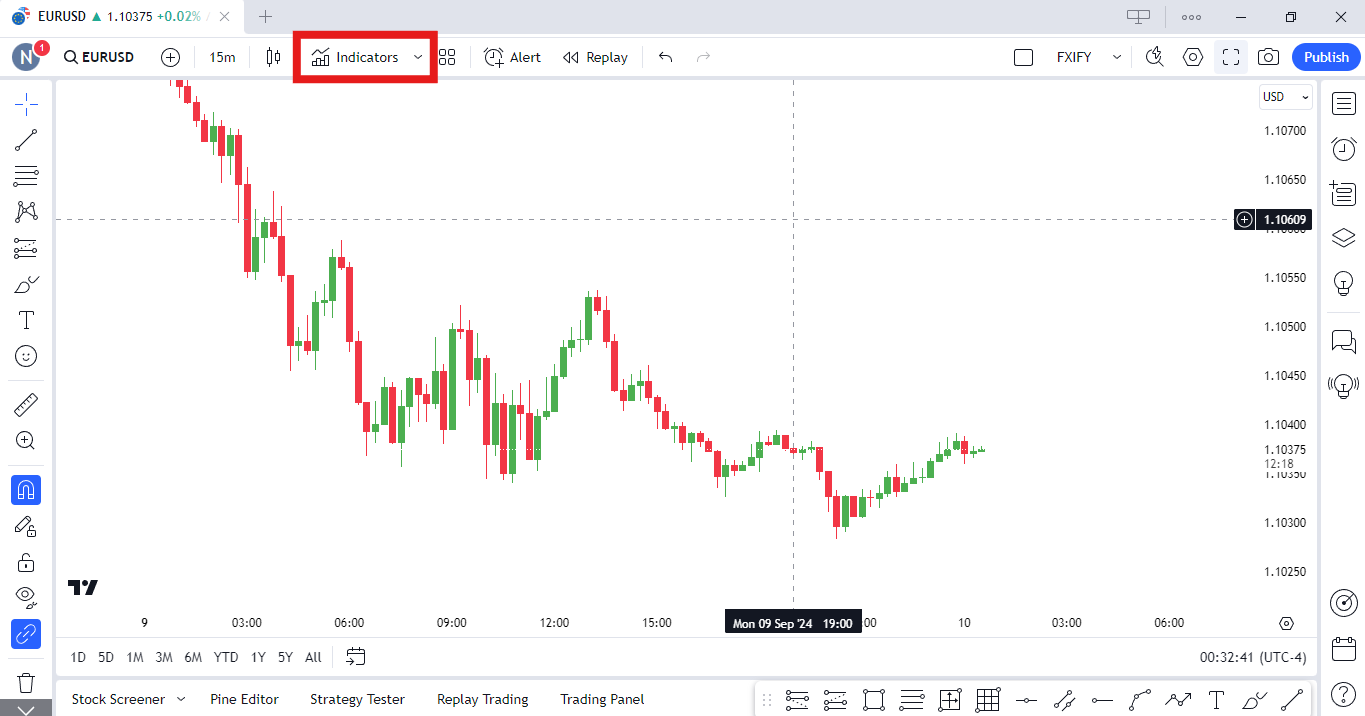
2.   Add Indicators
: Use the “Indicators” button at the top of your screen to add technical indicators like Moving Averages, RSI, and more.
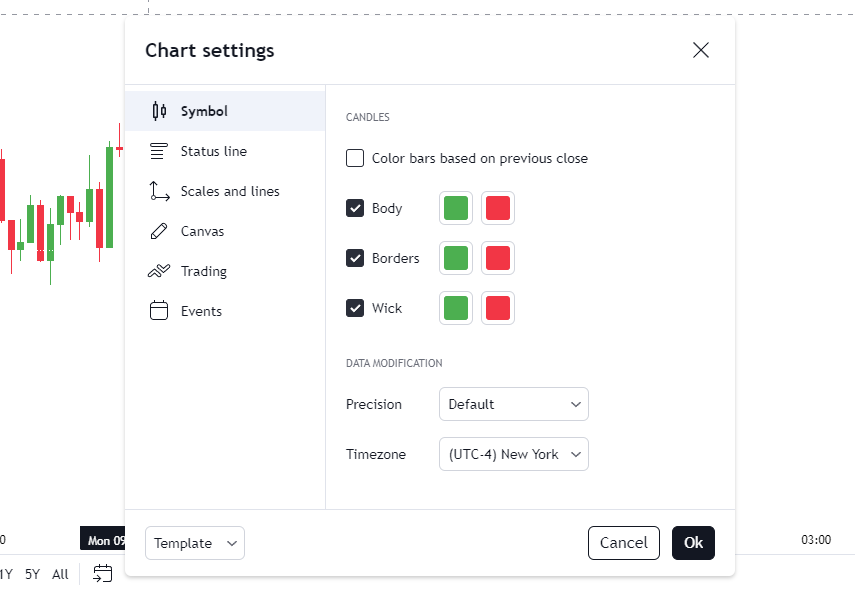
  3.   Change Colors and Appearances: Right-click on the chart and click on Settings. From here, to change your candlestick appearances, go to Symbol. You can also customise the colors of your chart background, and almost everything else from here! Have a play around with it and find what you like the best.


4.  
Timeframes
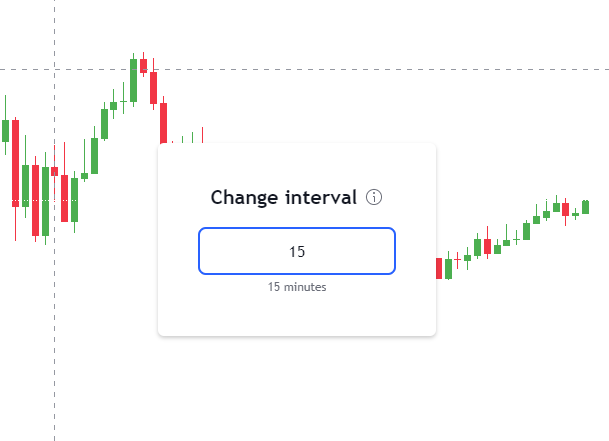
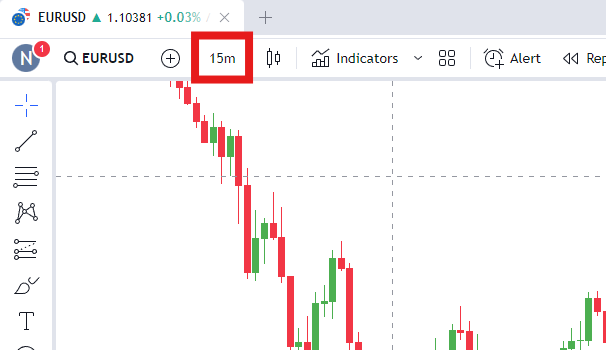
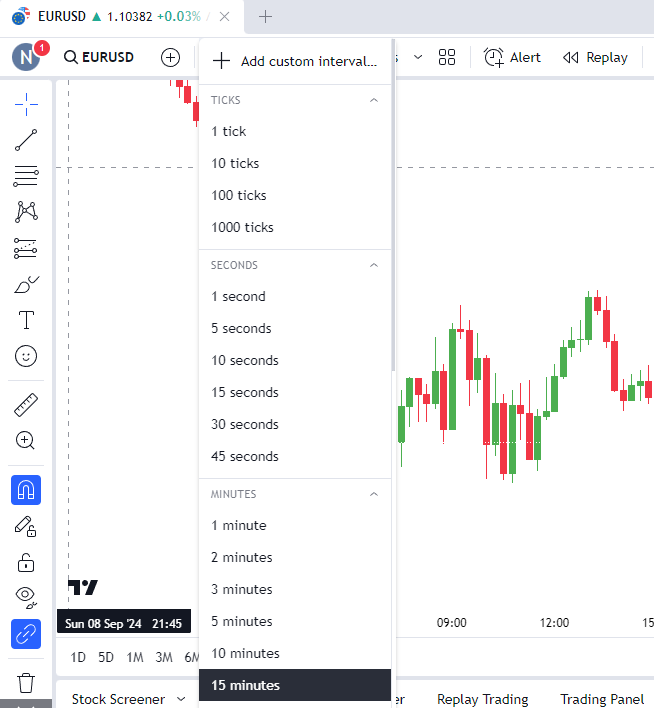
: Select your preferred timeframes (e.g., 1-hour, daily, weekly) from the toolbar at the top or by simply typing in the timeframe when you don’t have anything selected. Type in 1, 1H, 1D, 1W to try!
Was this FAQ helpful?
YesNo

Do you still need help?

Everything you need to know about our platform, evaluations and how to set up your FXIFY™ account.
FXIFY Anniversary
Buy any account before May 31 to enter and win a free challenge account up to $250K.
FXIFY Anniversary