Page background
40% OFF One Phase Evals for New Users
NEW40
30% OFF All Programs (excl. Instant Funding Lite)
EASTER26

SAVE WITH OUR EXCLUSIVE PROMOS

40% OFF One Phase Evals for New Users
Expires: 30th April 2026
NEW40
30% OFF All Programs (excl. Instant Funding Lite)
Expires: 7th April 2026
EASTER26
40% OFF One Phase Evals for New Users
Expires: 30th April 2026
NEW40
30% OFF All Programs (excl. Instant Funding Lite)
Expires: 7th April 2026
EASTER26
40% OFF One Phase Evals for New Users
Expires: 30th April 2026
NEW40
30% OFF All Programs (excl. Instant Funding Lite)
Expires: 7th April 2026
EASTER26
40% OFF One Phase Evals for New Users
Expires: 30th April 2026
NEW40
30% OFF All Programs (excl. Instant Funding Lite)
Expires: 7th April 2026
EASTER26
40% OFF One Phase Evals for New Users
Expires: 30th April 2026
NEW40
30% OFF All Programs (excl. Instant Funding Lite)
Expires: 7th April 2026
EASTER26
40% OFF One Phase Evals for New Users
Expires: 30th April 2026
NEW40
30% OFF All Programs (excl. Instant Funding Lite)
Expires: 7th April 2026
EASTER26
40% OFF One Phase Evals for New Users
Expires: 30th April 2026
NEW40
30% OFF All Programs (excl. Instant Funding Lite)
Expires: 7th April 2026
EASTER26
40% OFF One Phase Evals for New Users
Expires: 30th April 2026
NEW40
30% OFF All Programs (excl. Instant Funding Lite)
Expires: 7th April 2026
EASTER26
40% OFF One Phase Evals for New Users
Expires: 30th April 2026
NEW40
30% OFF All Programs (excl. Instant Funding Lite)
Expires: 7th April 2026
EASTER26
40% OFF One Phase Evals for New Users
Expires: 30th April 2026
NEW40
30% OFF All Programs (excl. Instant Funding Lite)
Expires: 7th April 2026
EASTER26
FAQs / All FAQs

All FAQs

Everything you need to know about our platform, evaluations and how to set up your FXIFY™ account.

Do you still need help?

Everything you need to know about our platform, evaluations and how to set up your FXIFY™ account.
FAQs
/
All FAQs
/
How Do I Set Trading Alerts In TradingView?

How Do I Set Trading Alerts In TradingView?

To set trading alerts in TradingView, follow these steps:

       1.  Open your chart and navigate to the asset you want to monitor.

       2.  Click on the “Alerts” button at the top of the screen (a small clock icon).

       3.  Define your alert conditions. You can set alerts based on:

    • Price levels (e.g., crossing above or below a specific price)
    • Technical indicators (e.g., RSI, MACD signals)
    • Time intervals (e.g., alerts at the end of each bar)

You can customize alerts with conditions, alert messages, and expiration times. Once set, TradingView will notify you via email, SMS, or pop-up, depending on your settings.

You can also set alerts via:
Alert manager window button.

Right-click menu.
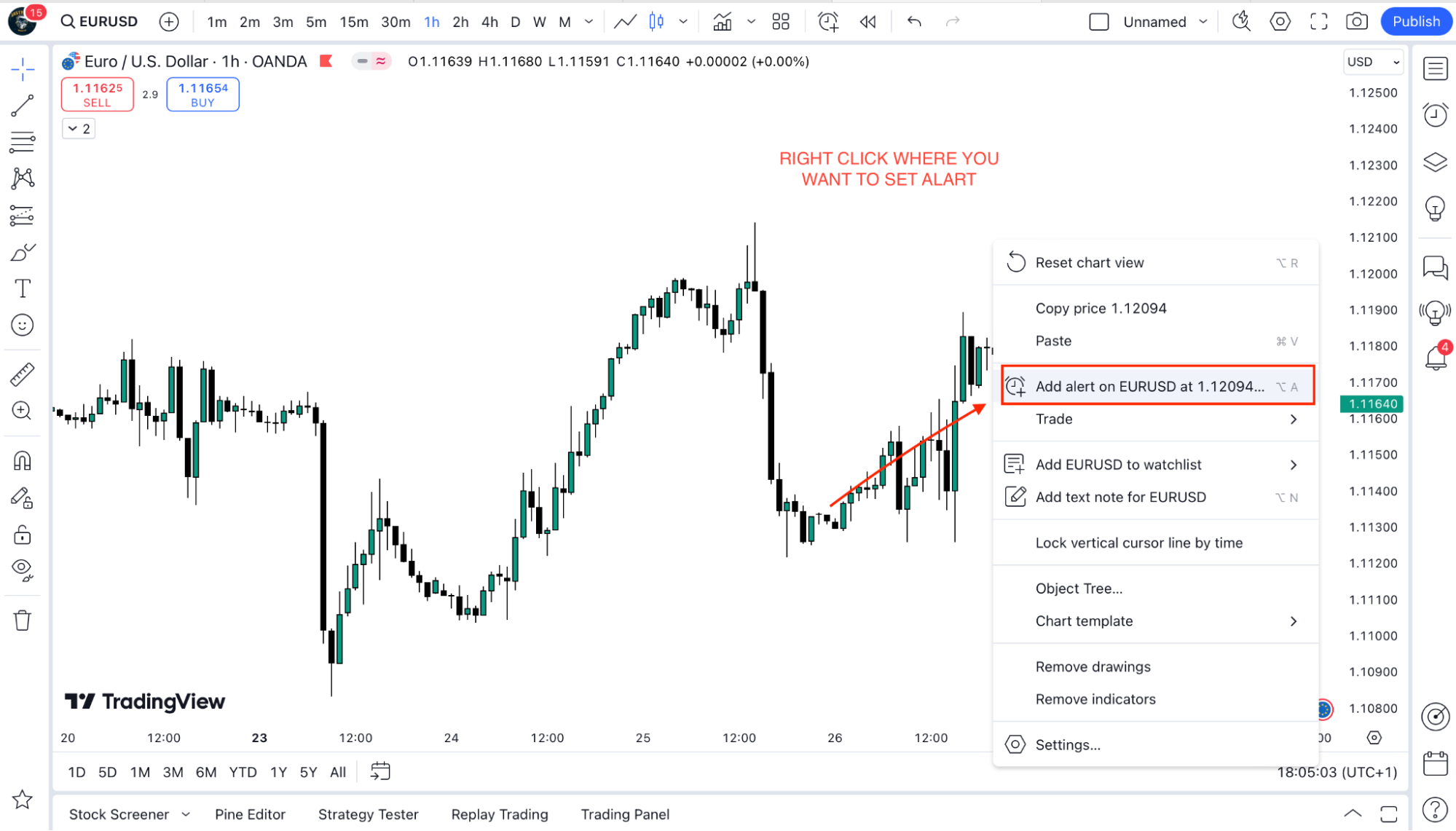
Drawing panel button.
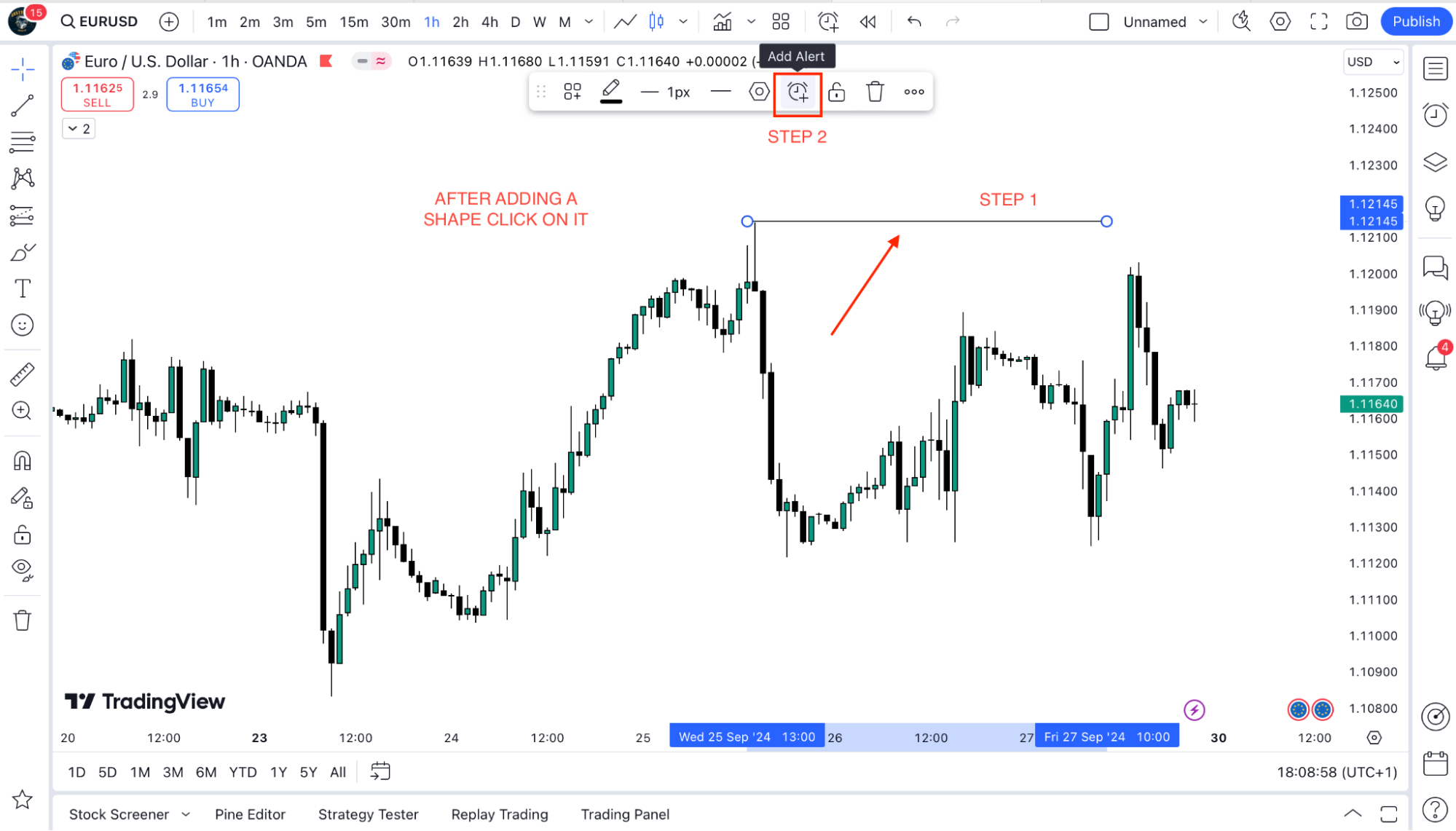
Plus button on the price scale.
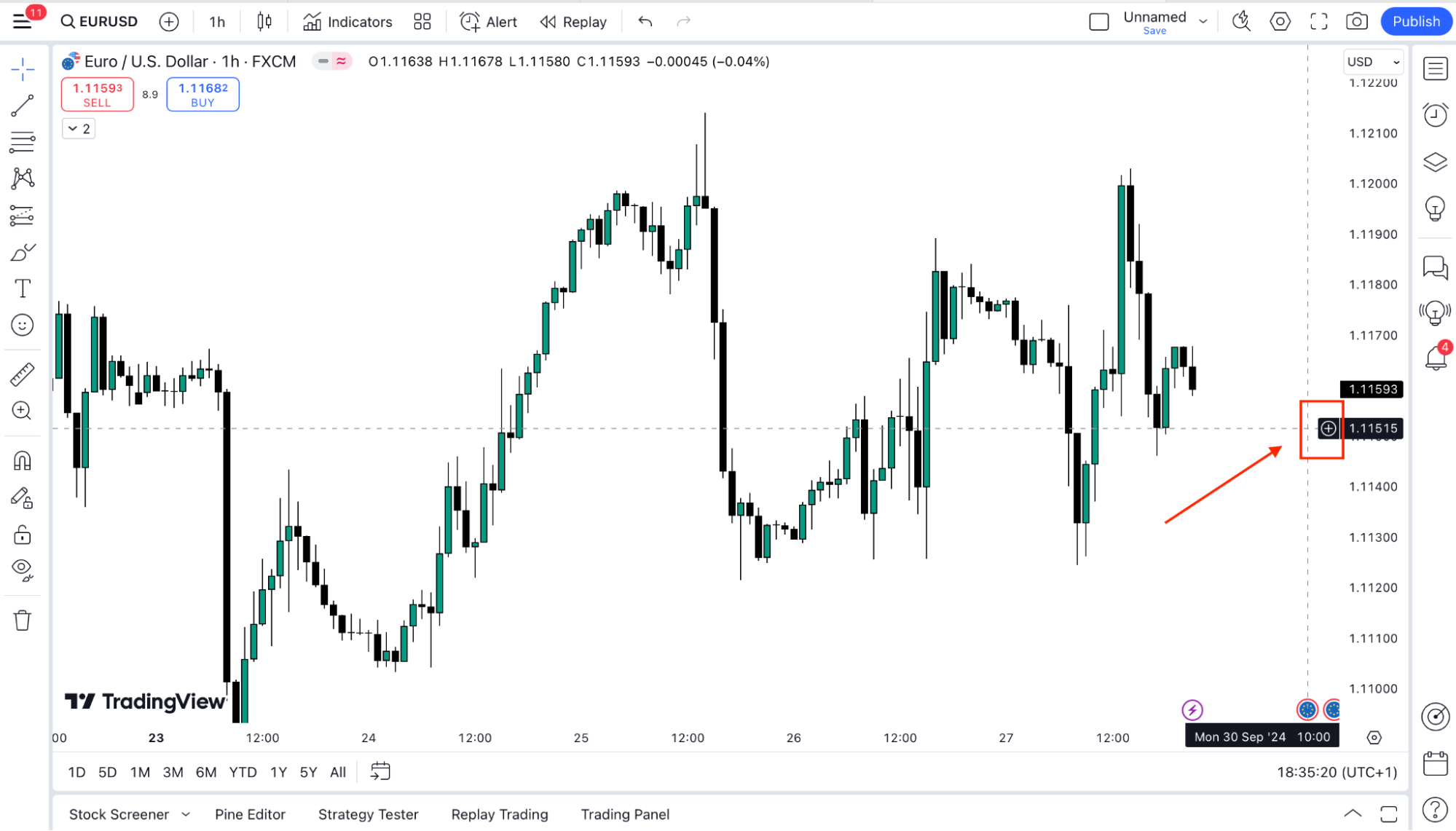
Hotkeys: ALT + A (Windows) or ⌥ + A (Mac).
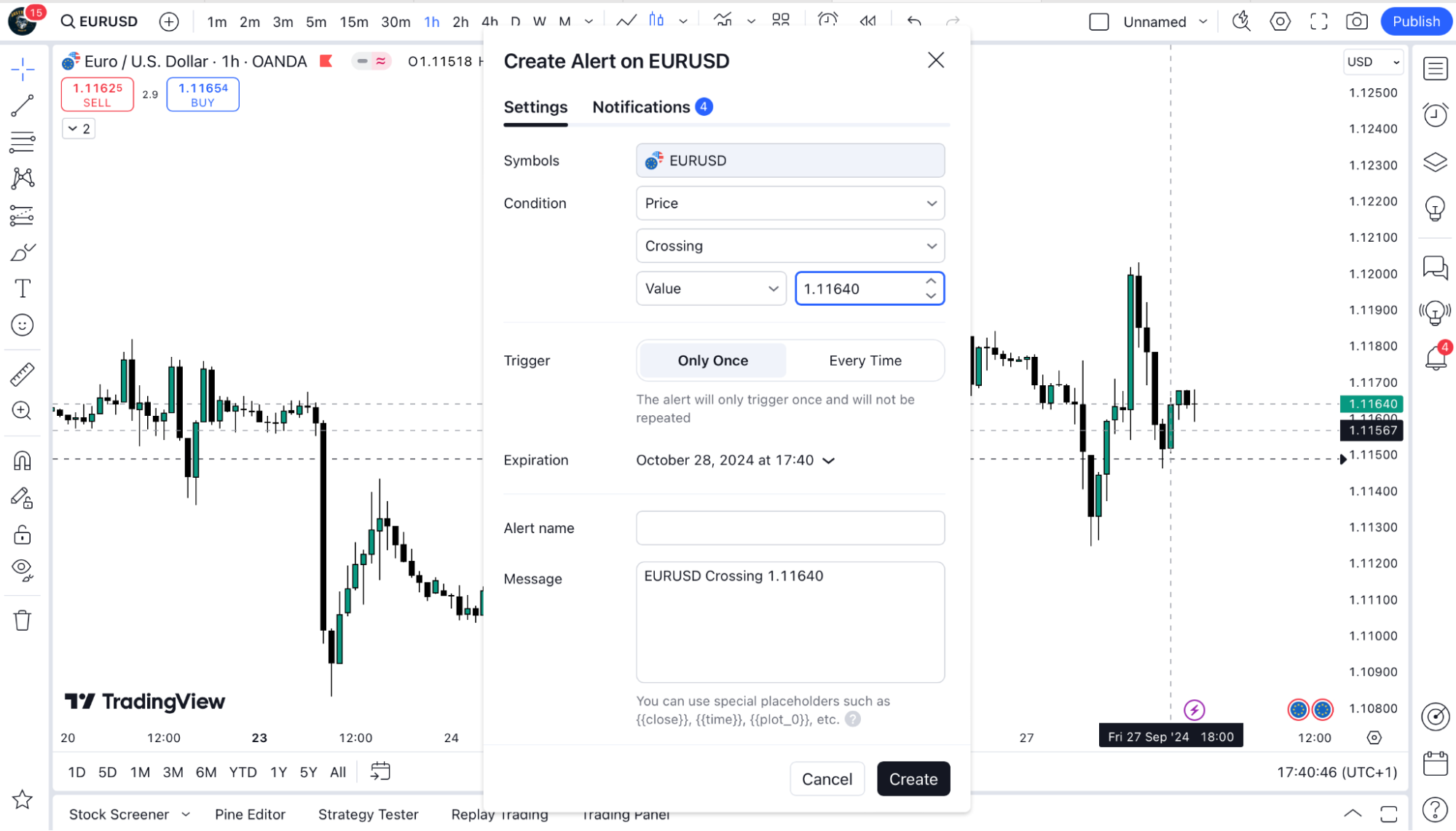


Was this FAQ helpful?
YesNo
Do you still need help?

Everything you need to know about our platform, evaluations and how to set up your FXIFY™ account.
FXIFY x Alchemy Markets Live Session
Gold is Moving. Trade it like a Pro. April 8, 10:00 AM EST. Guest Speaker: Jeremy Wagner.