Page background
FAQs / All FAQs

All FAQs

Everything you need to know about our platform, evaluations and how to set up your FXIFY™ account.

Do you still need help?

Everything you need to know about our platform, evaluations and how to set up your FXIFY™ account.
FAQs
/
All FAQs
/
How Do I Update/Change My TradingView Username?

How Do I Update/Change My TradingView Username?

To change your TradingView username:

  1.   Click on your profile icon in the top corner.
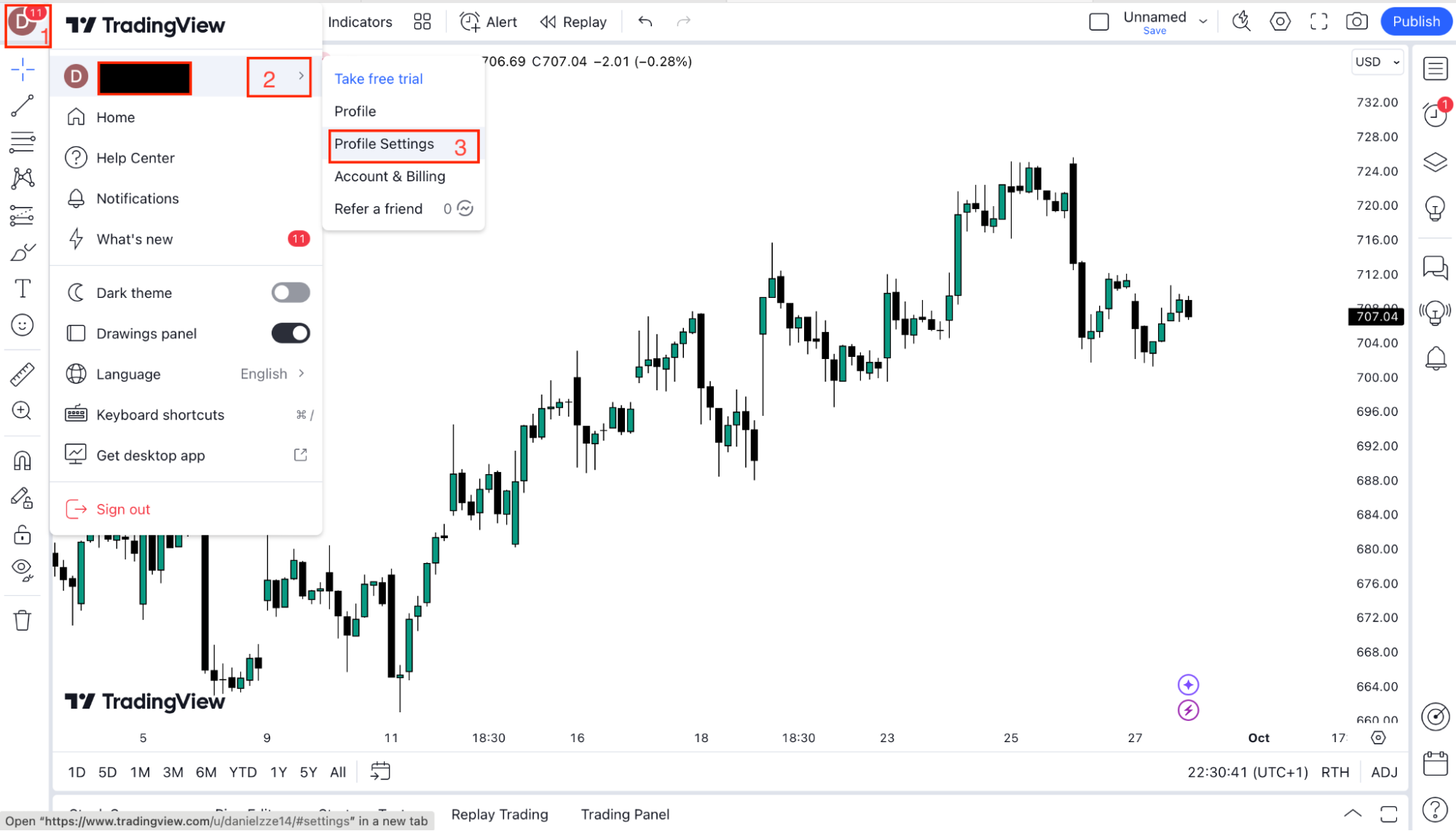
 

  2.   Select “Profile Settings” from the dropdown.

  3.   Find the “Username” field.

  4.   Enter your new username and save the changes.

Note that usernames can only be changed once, so choose carefully.


Was this FAQ helpful?
YesNo

Do you still need help?

Everything you need to know about our platform, evaluations and how to set up your FXIFY™ account.