Page background
22% OFF + 100% Split (Excludes Instant Funding Lite)
LOVE22

SAVE WITH OUR EXCLUSIVE PROMOS

22% OFF + 100% Split (Excludes Instant Funding Lite)
Expires: 16th February 2026
LOVE22
22% OFF + 100% Split (Excludes Instant Funding Lite)
Expires: 16th February 2026
LOVE22
22% OFF + 100% Split (Excludes Instant Funding Lite)
Expires: 16th February 2026
LOVE22
22% OFF + 100% Split (Excludes Instant Funding Lite)
Expires: 16th February 2026
LOVE22
22% OFF + 100% Split (Excludes Instant Funding Lite)
Expires: 16th February 2026
LOVE22
22% OFF + 100% Split (Excludes Instant Funding Lite)
Expires: 16th February 2026
LOVE22
22% OFF + 100% Split (Excludes Instant Funding Lite)
Expires: 16th February 2026
LOVE22
22% OFF + 100% Split (Excludes Instant Funding Lite)
Expires: 16th February 2026
LOVE22
22% OFF + 100% Split (Excludes Instant Funding Lite)
Expires: 16th February 2026
LOVE22
22% OFF + 100% Split (Excludes Instant Funding Lite)
Expires: 16th February 2026
LOVE22
FAQs / All FAQs

All FAQs

Everything you need to know about our platform, evaluations and how to set up your FXIFY™ account.

Do you still need help?

Everything you need to know about our platform, evaluations and how to set up your FXIFY™ account.
FAQs
/
All FAQs
/
How to Adjust Timeframes on TradingView?

How to Adjust Timeframes on TradingView?

To change the timeframe of your chart:

        1.   Use the Timeframe dropdown on the top toolbar.
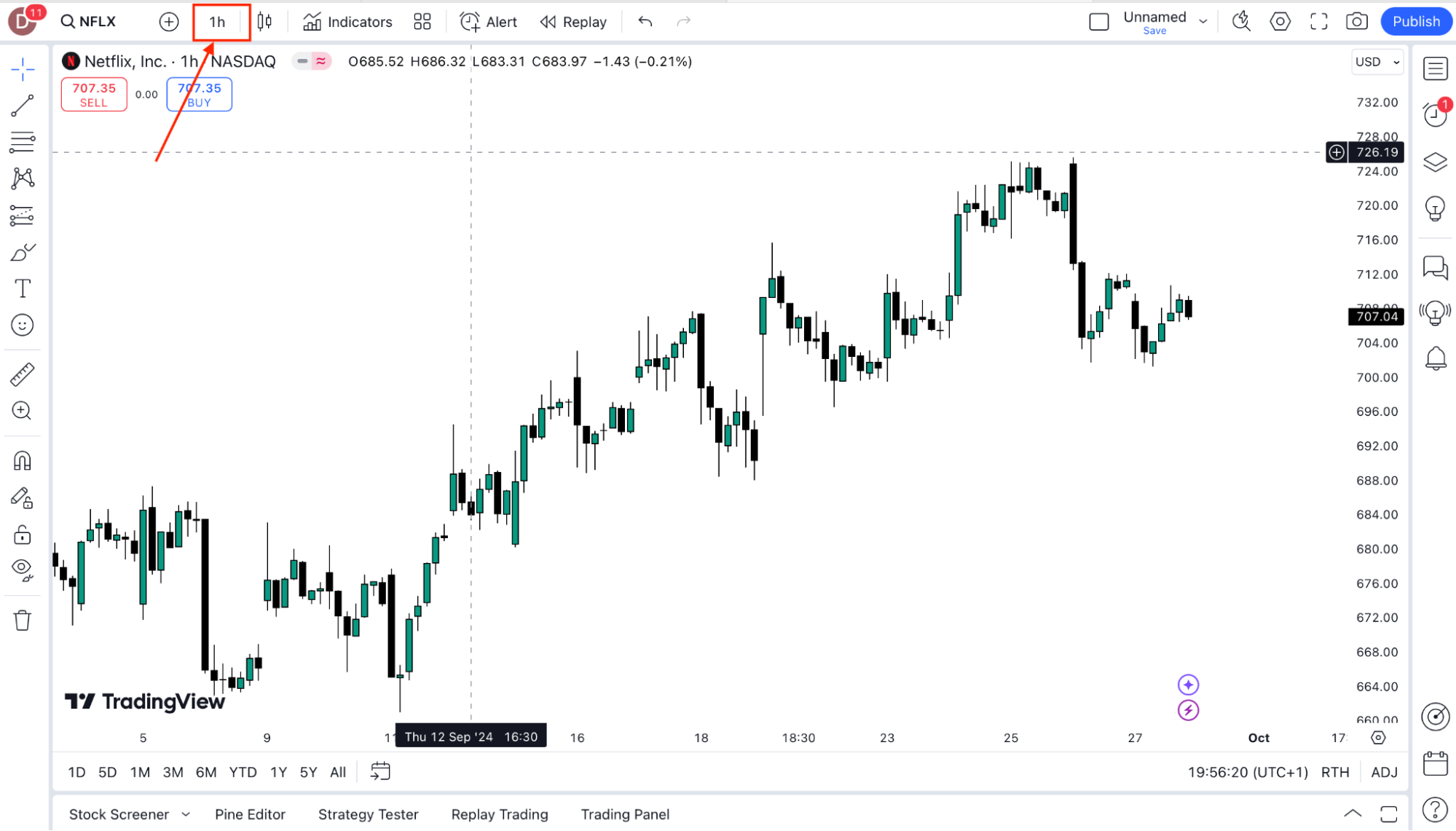
        2.   Select from predefined timeframes (e.g., 1m, 5m, 1H, 1D), or customize by selecting “Add Custom Interval” to set your own.

        3.   You can also quickly switch timeframes using the keyboard shortcuts (e.g., 1 for 1-minute, 1H, for 1 hour, 1D for daily).


Was this FAQ helpful?
YesNo

Do you still need help?

Everything you need to know about our platform, evaluations and how to set up your FXIFY™ account.