Page background
NEW TRADERS: 30% OFF 2 PHASE PRO
NEW30
SUMMER SALE: 20% OFF (excl. Instant Lite)
HOT20

SAVE WITH OUR EXCLUSIVE PROMOS

NEW TRADERS: 30% OFF 2 PHASE PRO
Expires: 31st December 2026
NEW30
SUMMER SALE: 20% OFF (excl. Instant Lite)
Expires: 1st September 2026
HOT20
NEW TRADERS: 30% OFF 2 PHASE PRO
Expires: 31st December 2026
NEW30
SUMMER SALE: 20% OFF (excl. Instant Lite)
Expires: 1st September 2026
HOT20
NEW TRADERS: 30% OFF 2 PHASE PRO
Expires: 31st December 2026
NEW30
SUMMER SALE: 20% OFF (excl. Instant Lite)
Expires: 1st September 2026
HOT20
NEW TRADERS: 30% OFF 2 PHASE PRO
Expires: 31st December 2026
NEW30
SUMMER SALE: 20% OFF (excl. Instant Lite)
Expires: 1st September 2026
HOT20
NEW TRADERS: 30% OFF 2 PHASE PRO
Expires: 31st December 2026
NEW30
SUMMER SALE: 20% OFF (excl. Instant Lite)
Expires: 1st September 2026
HOT20
NEW TRADERS: 30% OFF 2 PHASE PRO
Expires: 31st December 2026
NEW30
SUMMER SALE: 20% OFF (excl. Instant Lite)
Expires: 1st September 2026
HOT20
NEW TRADERS: 30% OFF 2 PHASE PRO
Expires: 31st December 2026
NEW30
SUMMER SALE: 20% OFF (excl. Instant Lite)
Expires: 1st September 2026
HOT20
NEW TRADERS: 30% OFF 2 PHASE PRO
Expires: 31st December 2026
NEW30
SUMMER SALE: 20% OFF (excl. Instant Lite)
Expires: 1st September 2026
HOT20
NEW TRADERS: 30% OFF 2 PHASE PRO
Expires: 31st December 2026
NEW30
SUMMER SALE: 20% OFF (excl. Instant Lite)
Expires: 1st September 2026
HOT20
NEW TRADERS: 30% OFF 2 PHASE PRO
Expires: 31st December 2026
NEW30
SUMMER SALE: 20% OFF (excl. Instant Lite)
Expires: 1st September 2026
HOT20
FAQs / All FAQs

All FAQs

Everything you need to know about our platform, evaluations and how to set up your FXIFYâ„¢ account.

Do you still need help?

Everything you need to know about our platform, evaluations and how to set up your FXIFYâ„¢ account.
FAQs
/
All FAQs
/
What is a workspace in DXtrade?

What is a workspace in DXtrade?

Workspaces are customisable interfaces in DXtrade, where you can drag and drop widgets to help you trade in your most comfortable environment. You can add various widgets to help you monitor your trades, such as: Charts, Trade Positions, Alerts, and more.
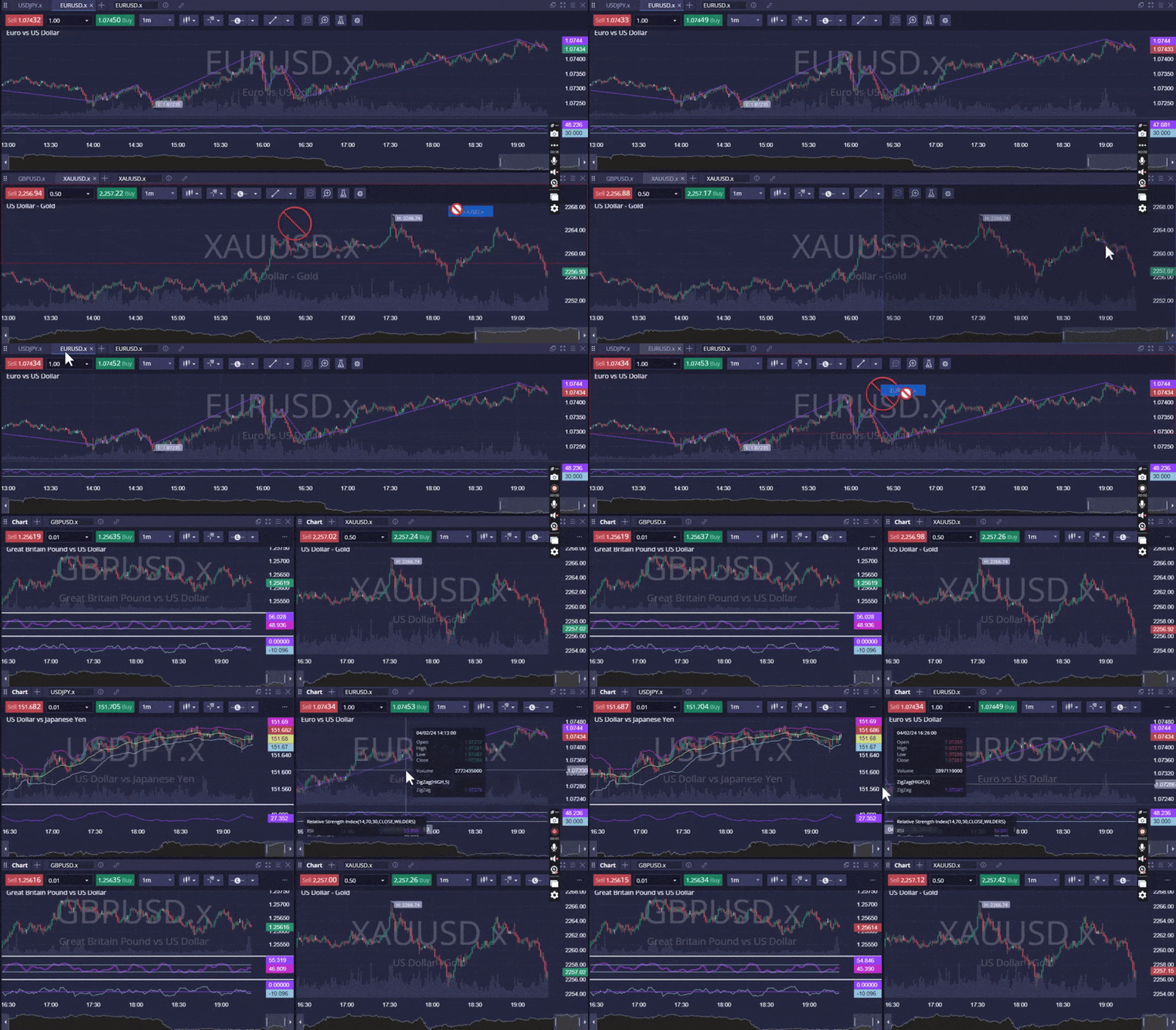
When you first log into DXtrade, there are 4 ready-made workspaces you can work with. These workspaces are fully customisable, or you can opt to create an entirely new workspace.

Default Workspaces

My Trading Account: An all-in-one trading portal for you to manage your trades.

Trading Dashboard: A dashboard detailing your win rate, PnL and overall performance.

Trading Journal: An overview of all your trades, with added journaling functionality.

Technical Analysis: A workspace fully dedicated to doing technical analysis on price charts.

You can create a custom workspace by tapping the [+] icon, located just below the top bar.
 

Was this FAQ helpful?
YesNo

Do you still need help?

Everything you need to know about our platform, evaluations and how to set up your FXIFYâ„¢ account.
Make waves on the charts this summer — 20% off all programs. Use code HOT20.

JOIN US NOW!

GET EARLY ACCESS TO UPCOMING OFFERS

ENDS 1 SEP MIDNIGHT EST *Offer Excludes Instant Funding Lite
FXIFY Pulse | Market Insights — live on YouTube every Tuesday & Thursday, 10AM EST / GMT-4 Hosted by Jeremy Wagner, CEWA-M — Head of Research at Alchemy Markets, former Head of Technical Analysis at DailyFX NOTIFY ME