MT5 vs DXtrade vs TradingView for Prop Trading
Choosing between MT5, DXtrade, and TradingView is not just about picking the platform with the nicest charts. For prop traders, the better question is: Which…
Choosing between MT5, DXtrade, and TradingView is not just about picking the platform with the nicest charts.
For prop traders, the better question is:
Which platform helps you clearly trade your strategy, manage risk effectively, and avoid unnecessary mistakes?
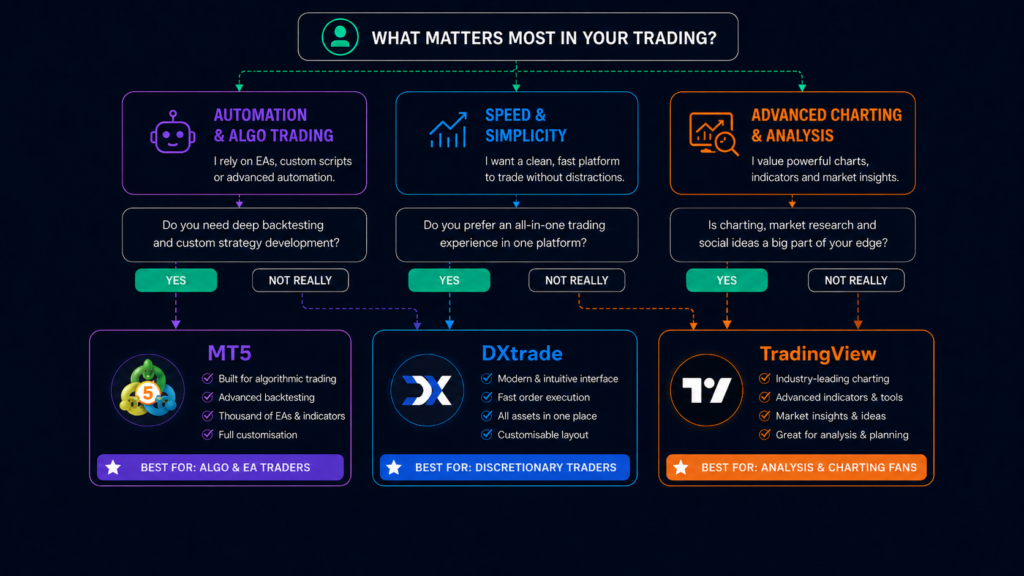
MT5 is usually better for EAs, custom indicators, backtesting, and detailed order control.
DXtrade is usually better suited to manual traders who want a cleaner, browser-based platform.
TradingView is usually better for chart-first traders who rely on alerts, watchlists, and visual planning, provided live execution is available for the account they choose.
This guide compares the three platforms by trader workflow: automation, execution, charting, mobile use, and account rules.
MT5 vs DXtrade vs TradingView for Prop Trading at a Glance
| Platform | Better Fit For | Main Limitation |
|---|---|---|
| MT5 | EA users, algo traders, and traders who want deeper control | More technical interface |
| DXtrade | Manual traders who want a simple browser-based setup | Not built for MT5-style EAs |
| TradingView | Chart-first traders who rely on alerts, watchlists, and visual analysis | Live execution depends on supported integration |
Use this table as a starting point, not the final decision. The right platform depends on how you analyze trades, place orders, manage risk, and follow your program rules.
At FXIFY, platform options can vary by program, account type, region, and the options shown during account setup. Always check the current platform choices before buying or configuring an account.
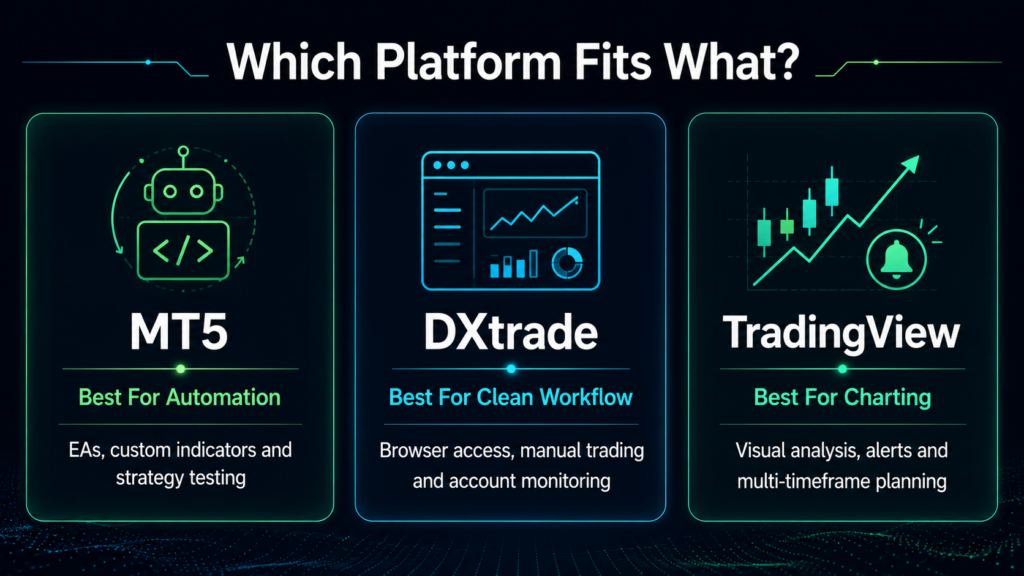
MT5, DXtrade, and TradingView Compared
MT5: Best for Automation and Control
MT5 is the strongest platform in this comparison for traders who want control over custom tools.
It supports Expert Advisors, custom indicators, scripts, and strategy testing. This makes it useful for traders who want to build, test, or run rule-based strategies. It is also familiar to many forex traders, which shortens the learning curve for those already familiar with the MetaTrader environment.
The trade-off is usability. MT5 is powerful, but it can feel more technical and less modern than DXtrade or TradingView. The desktop platform is built like a trading terminal, not a clean charting app. That is not a problem for experienced traders, but beginners may need time to get comfortable.
MT5 is usually the better fit if you care most about:
- EAs and automated trading
- Custom indicators
- Strategy testing
- Detailed order control
- Familiar forex platform workflow
The caution is simple: just because MT5 can run automation does not mean every prop account allows every type of automation.
DXtrade: Best For Clean Prop-Style Workflow
DXtrade is a modern browser-based platform that can make it easier for manual traders.
Its main advantage is simplicity. You can access the platform through a browser, place trades, manage open positions, and monitor activity without using a traditional desktop terminal.
That matters if you do not need complex automation. For many discretionary traders, a clean interface is more valuable than a platform full of tools they never use.
DXtrade is usually the better fit if you care most about:
- Browser-based access
- Simple order placement
- A cleaner trading screen
- Manual trade management
- Easy position monitoring
The limitation is automation. DXtrade is not the natural choice if your strategy depends on running MT5-style EAs directly inside the platform.
TradingView: Better For Chart-First Traders
TradingView is usually the most natural fit for traders who already use it as their main analysis workspace.
Its strength is not only clean charting. It also gives traders a wide range of indicators, drawing tools, alerts, watchlists, Pine Script tools, and community scripts. That makes it useful for traders who plan trades visually, mark levels, wait for alerts, and review ideas across multiple markets.
TradingView can be especially useful if your process looks like this:
- Mark key levels and zones
- Compare multiple timeframes
- Use alerts to avoid staring at charts all day
- Track watchlists across desktop and mobile
- Use public or custom scripts as part of your analysis
- Review trade ideas and market perspectives from the wider trading community
The important limitation is execution. TradingView is excellent for analysis, but it only becomes a full trading workflow when live trading integration is supported for your account.
TradingView is usually the better fit if you care most about:
- Visual analysis
- Alerts
- Watchlists
- Multi-timeframe planning
- Indicator variety
- A familiar charting workflow across devices
Platform Comparison: Execution, Mobile UI, And Indicators
| Platform | Execution | Mobile Use | Tools |
|---|---|---|---|
| MT5 | Detailed order control and familiar forex workflow | Useful for checking and managing trades | EAs, custom indicators, scripts, and strategy testing |
| DXtrade | Clean browser-based manual trading | Practical for monitoring open positions | Manual trading tools and simple position management |
| TradingView | Live trading depends on supported integration | Strong for charts, alerts, and watchlists | Indicators, Pine Script, alerts, and community scripts |
This table is a quick workflow check, not a final verdict.
Choose based on what you need most: deeper control, cleaner manual execution, or stronger chart-based analysis.
Algo And EA Support: What Traders Need To Know
Automation is not just a platform question. It is also a question about program rules.
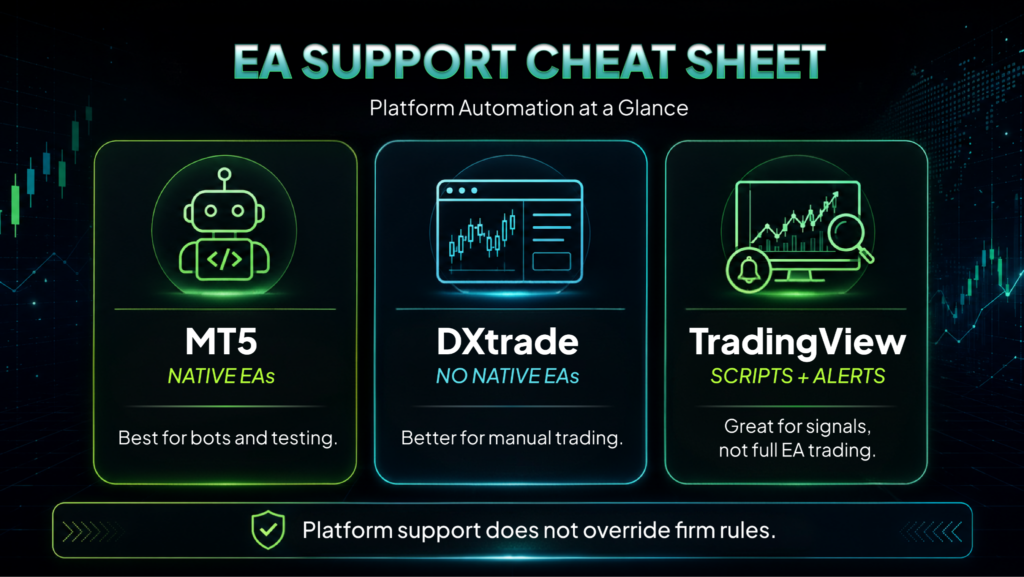
MT5 may be the better platform if your strategy uses EAs, scripts, or automated trade management. However, not every FXIFY program may allow EAs in the same way, and platform capability does not override account rules.
Before using an EA, bot, script, or trade copier, check the rules for your selected program and review the FXIFY FAQs.
The simple rule: if you cannot confirm that your setup is allowed, do not run it on the account yet.
This is especially important for third-party tools, copied bots, HFT-style automation, or anything that can open trades, adjust lot size, or manage risk without you actively controlling it.
Which Platform Fits Your Trading Style Best?
Instead of choosing based on platform popularity, choose the part of your process that creates the most friction.
Ask yourself:
- Do I need automation, custom tools, or detailed order control?
- Do I need a simple manual trading screen with less clutter?
- Do I need stronger charting, alerts, and visual planning?
- Do I need to manage trades away from my main setup?
- Do I clearly understand which tools are allowed under the rules of my selected program?
If a platform makes your process clearer, it is probably a better fit.
If it adds extra steps, confusion, or tools you do not actually use, it may slow you down, even if other traders recommend it.
For prop trading, the best platform is not the one with the longest feature list. It is the one that helps you execute your plan cleanly, control risk, and stay within the rules of the account you choose.
FAQs
Is MT5 better than DXtrade for prop trading?
MT5 is usually better if you rely on EAs, custom indicators, scripts, backtesting, or detailed order control.
DXtrade may be better if you are a manual trader seeking a cleaner, browser-based platform to place trades and monitor positions.
Is TradingView better than MT5 for prop trading?
TradingView is usually stronger for charting, alerts, watchlists, and visual trade planning.
MT5 is usually stronger for automation, strategy testing, and deeper order control. If you use TradingView for analysis, make sure live execution is supported for your selected account before treating it as your full trading platform.
Can I use EAs with FXIFY?
EA use depends on the program and account rules.
Before using an EA, bot, script, or trade copier, check the rules for your selected program and review the FXIFY FAQs. If you cannot confirm that your setup is allowed, do not run it on the account yet.
Which platform is best for beginner prop traders?
Beginners should choose the platform that makes trade execution and risk control easiest to manage.
DXtrade may feel simpler for manual trading. TradingView may feel more familiar for charting and alerts. MT5 is worth learning if you plan to use EAs, custom indicators, or more advanced tools later.
What should I check before choosing a prop trading platform?
Check four things before choosing:
- Whether the platform is available for your selected program
- Whether it supports your trading strategy
- Whether your tools, scripts, or EAs are allowed
- Whether you can manage risk clearly from a desktop or a mobile device
Platform choice should support your process, not complicate it.